RAG in Practice: What Retrieval-Augmented Generation Actually Takes
Ask a language model about your company's refund policy and it will probably give you an answer. The problem is that the answer may have nothing to do with your actual policy.
If the policy was created after the model's training data was collected, the model has never seen it. Even if it has seen similar policies, it cannot know which one belongs to your company.
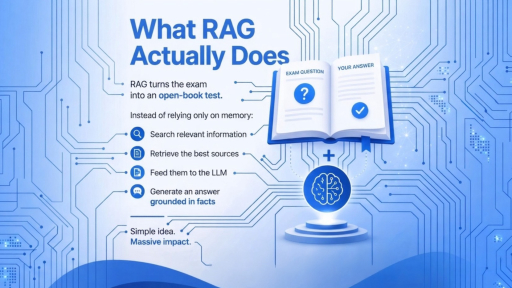
Retrieval-Augmented Generation, usually called RAG, is one way to solve this problem.
The basic idea is simple. Before the model answers a question, the application searches a collection of documents for relevant information. The retrieved text is added to the prompt, and the model generates an answer using that context.
The basic flow looks like this:
Question → Search → Relevant content → Language model → Answer
The difficult part starts when you try to make that process reliable.
RAG Has Two Separate Jobs
A RAG system is really two systems working together.
The first is retrieval. It takes the user's question and finds potentially relevant passages in your data.
The second is generation. It takes those passages and the original question and produces the final response.
These two parts fail differently.
A retriever can return the wrong documents. A language model can misunderstand or incorrectly use the documents it receives.
That distinction matters when debugging.
Suppose a user asks:
"What is our refund period for annual subscriptions?"
If the retrieved passages contain the correct refund policy, but the model gives the wrong answer, the generation step needs attention.
If the retrieved passages are about monthly subscriptions, the prompt is not the first thing to investigate. The retrieval system is.
A useful debugging habit is to inspect the retrieved chunks before changing the prompt.
Chunking Has a Bigger Impact Than You Might Expect
Documents usually need to be split into smaller pieces before they can be indexed and searched.
This is called chunking.
A simple approach is to split every document after a fixed number of tokens. It works, but it can also break the information that gives a passage its meaning.
Consider a pricing table in a PDF.
The plan name might end up in one chunk while its price appears in another. When the second chunk is retrieved, the model sees the price but no longer knows which plan it belongs to.
The same problem appears in technical documentation.
A troubleshooting section might start with:
"These instructions apply only to version 3.x."
If that sentence is separated from the actual instructions, the model may use those instructions when answering a question about version 2.x.
A better approach is to split documents around their structure.
Headings, sections, paragraphs, list items, and tables often provide better boundaries than a fixed character count.
It also helps to include useful document information in each chunk. A chunk can carry the document title and section heading along with its actual text.
Document: Database Migration Guide
Section: PostgreSQL Version 16
Content: ...
This gives the retrieved passage some context even when it is viewed on its own.
Small overlaps between chunks can also help when an important sentence crosses a boundary.
The exact chunk size depends on the type of content. There is no single number that works for every knowledge base.
Embeddings Are Not Good at Everything
Embeddings are useful because they let a system search based on meaning rather than exact wording.
For example, a user might search for:
"Why can't I connect to the database?"
while the documentation says:
"Troubleshooting database connection failures."
Vector search can recognize that these two phrases are related even though they use different words.
But semantic similarity is not always enough.
Consider an error code such as:
ERR_CONN_4021
If someone searches for that exact code, the most important result is usually the document containing that exact string.
A vector search may instead return several documents discussing connection errors in general.
This is why production RAG systems often use hybrid search.
Keyword search is good at exact terms such as:
- Error codes
- Product names
- Part numbers
- Version numbers
- Legal references
- Internal identifiers
Vector search is better when the wording of the question differs from the wording in the document.
Combining both gives the retrieval system more information to work with.
If your application already uses PostgreSQL, you may not need another database just to get started. PostgreSQL can handle full-text search, while pgvector provides vector similarity search for embeddings.
The right choice depends on the size of the data and the requirements of the application. Adding another service before measuring the problem can create more operational work without improving the results.
Reranking Improves the Final Selection
Retrieval might return twenty candidate passages, but the language model may only need four or five.
The question is which ones should make it into the final prompt.
Vector similarity provides a useful first ranking, but it is not perfect. Two passages can be close in embedding space while only one actually answers the question.
A reranker takes the question and each candidate passage and evaluates their relationship more directly.
For example, imagine a knowledge base containing several versions of an onboarding document.
The first retrieval stage might return ten versions because they all contain similar terms.
A reranker can help determine which passages are most relevant to the exact question.
The additional processing cost is manageable because the reranker only evaluates the smaller set of retrieved candidates rather than the entire document collection.
For systems with many similar documents, this can make a noticeable difference.
Metadata Is Part of Retrieval
Retrieval should not happen across every document your application owns.
Documents often have metadata such as:
- Version
- Date
- Product
- Department
- Region
- Document type
- Access permissions
- Status
This information can be used to narrow the search before the language model sees anything.
Imagine a company has a refund policy from 2022 and another from 2026.
Both documents may be semantically similar. Without a date or status filter, the old policy can still appear in the results.
The same applies to permissions.
A user should not retrieve a document they are not allowed to access and then rely on the language model to hide the restricted information.
Access control needs to be part of the retrieval query.
If each chunk contains an access scope, the retrieval system can filter the results before they reach the prompt.
This is both a security requirement and a system design decision.
Stale Documents Can Produce Confidently Wrong Answers
Keeping the search index synchronized with the source documents is another important part of RAG.
Suppose an employee updates a policy document.
The new document gets processed and added to the index, but the old version remains there.
Now both versions can be retrieved.
The model has to decide which one to use, even though the application should have removed the old version in the first place.
Document ingestion therefore needs to handle more than new files.
It should also handle:
- Updates
- Deletions
- Version changes
- Metadata changes
- Re-indexing
This is easy to overlook when building an initial prototype.
It becomes much harder to fix after the system contains thousands or millions of chunks.
Measure Retrieval Before Judging the Answer
Reading generated answers is useful, but it is not a good way to measure retrieval quality.
The answer can be wrong because the retriever found the wrong document, or because the model failed to use the correct document.
Those are different problems.
A better approach is to create a small evaluation set using real questions.
For each question, record the document or passage that should contain the answer.
Then measure whether the correct passage appears in the top five retrieved results.
For example:
Question: What is the annual subscription refund period?
Expected document: Refund Policy 2026
Retrieved in top 5: Yes
Now you have a measurable retrieval result.
You can change the chunking strategy, modify the search query, add metadata filters, or introduce reranking and see whether that number changes.
This also gives you a useful baseline for evaluating generation quality.
If the correct information is missing from the retrieved results, changing the prompt cannot fix the underlying retrieval problem.
Once retrieval is reliable, you can evaluate the generated answer separately.
It is also useful to include citations or references to the retrieved sources. Users can then check where an answer came from instead of treating the generated response as an unquestionable result.
RAG Is Not Always the Right Solution
RAG is useful when the model needs access to information that is outside its built-in knowledge.
It is not the answer to every data access problem.
If the complete knowledge base is small enough to fit comfortably into the model's context, a retrieval pipeline may add unnecessary complexity.
For example, if you need to answer questions about a 30-page internal handbook, sending the relevant handbook content directly to the model may be simpler.
Structured data is another case.
Suppose someone asks:
"How many orders were shipped late in March?"
If the answer lives in a database, this is a database query.
The application should give the model a tool that can run the appropriate query instead of embedding database rows and asking the model to find an approximate answer.
RAG is also not a replacement for fine-tuning.
If the problem is that a model needs to follow a particular output format or consistently use a certain writing style, retrieval will not solve that problem.
RAG provides external information.
Prompting, fine-tuning, and structured output techniques solve different problems.
Building a RAG System That People Can Trust
A useful RAG system does not depend on one component being perfect.
The document pipeline needs to preserve useful structure. The retrieval layer needs to find the right information. Metadata needs to restrict the search to the correct documents. The index needs to stay synchronized with the source data.
Then the language model needs to turn that retrieved information into a useful response.
When something goes wrong, you need to know which part failed.
A practical production setup might look like this:
User question
     ↓
Query processing
     ↓
Hybrid retrieval
     ↓
Metadata and permission filters
     ↓
Top candidate passages
     ↓
Reranking
     ↓
Selected context
     ↓
Language model
     ↓
Answer + sources
Each stage has a different responsibility.
That makes the system easier to test and easier to improve.
The Practical View of RAG
RAG is often described as a way to give a language model access to external knowledge.
That description is correct, but it hides where most of the engineering work happens.
The model is only one part of the system.
Document processing, chunking, indexing, search, filtering, reranking, freshness, and evaluation all have a direct effect on the final answer.
If the right passage never reaches the model, a better prompt will not solve the problem.
If the correct passage reaches the model but the answer is still wrong, then you can start investigating the generation step.
That separation makes RAG much easier to reason about.
For many applications, the best place to start is not with a more complicated model. Start with the documents, make retrieval measurable, and verify that the system consistently finds the information the user needs.